

Canvas Visualizations
Basic Memory can create visual knowledge maps using Obsidian’s Canvas feature. These visualizations help you understand relationships between concepts, map out processes, and visualize your knowledge structure.Creating Canvas Visualizations
Ask Claude to create a visualization by describing what you want to map:Example Requests
- “Create a canvas visualization of my project components and their relationships.”
- “Make a concept map showing the main themes from our discussion about climate change.”
- “Can you make a canvas diagram of the perfect pour over method?”
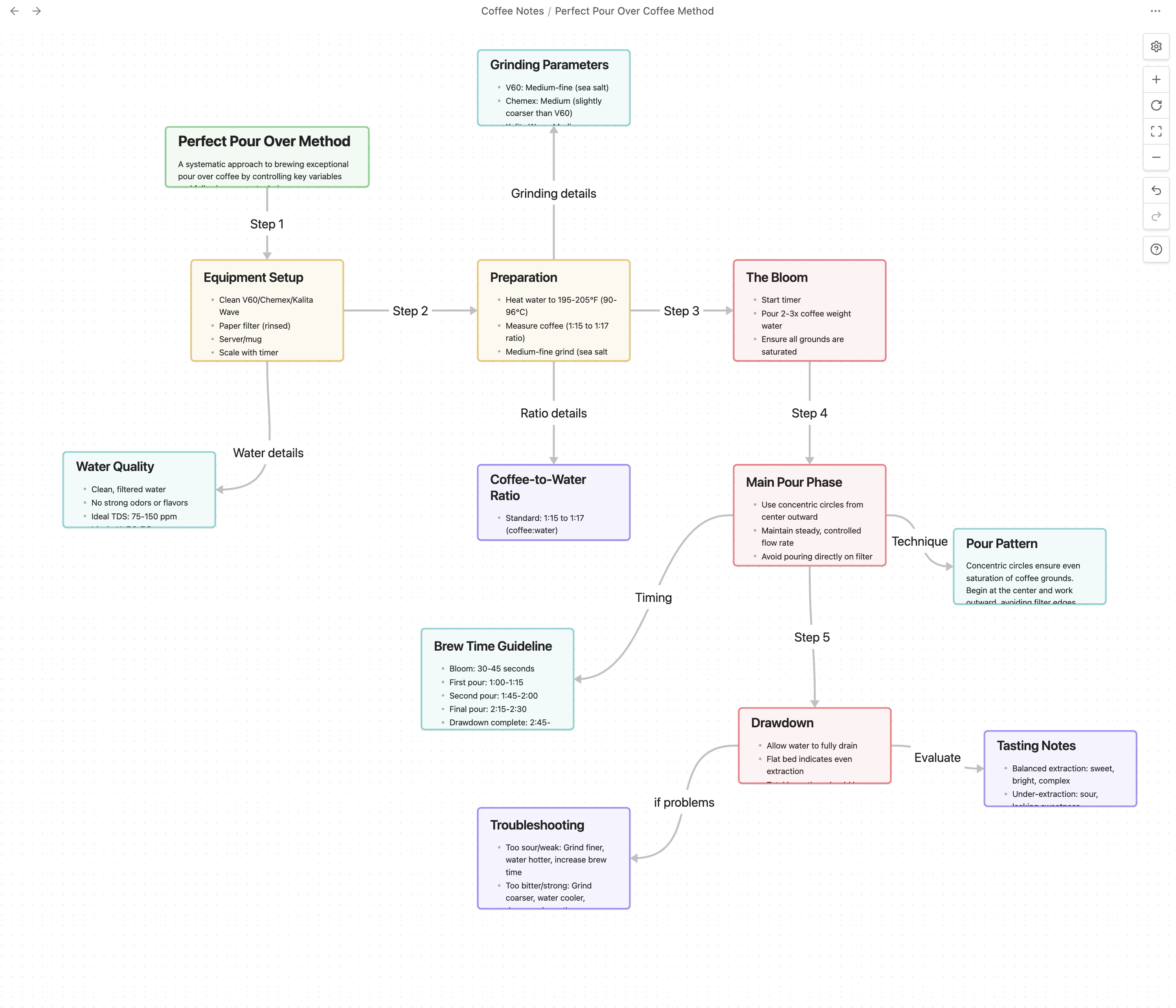
Types of Visualizations
Basic Memory can create several types of visual maps:Document Maps
Visualize connections between your notes and documents
Concept Maps
Create visual representations of ideas and their relationships
Process Diagrams
Map workflows, sequences, and procedures
Thematic Analysis
Organize ideas around central themes
Relationship Networks
Show how different entities relate to each other in your knowledge base.Visualization Sources
Claude can create visualizations based on:Documents in Your Knowledge Base
Conversation Content
Search Results
Themes and Relationships
Visualization Workflow
Claude creates the canvas file
The canvas file is automatically created in your Basic Memory directory
Technical Details
Behind the scenes, Claude:- Creates a
.canvasfile in JSON format - Adds nodes for each concept or document
- Creates edges to represent relationships
- Sets positions for visual clarity
- Includes any relevant metadata
Tips for Effective Visualizations
Be Specific
Clearly describe what you want to visualize
Specify Detail Level
Mention how much detail you need
Mention Type
Specify the visualization type (concept map, process flow, etc.)
Start Simple
Begin with basic visualizations and ask for refinements
Provide context about what documents or concepts to include for the best results.